
Lyft
Lyft, Inc.Maps & Navigation
4.8150.90K Reviews
- Version
- 2026.40.3.1791962843
- Installs
- 50.00M
- Age Rating
- Everyone
Screenshots
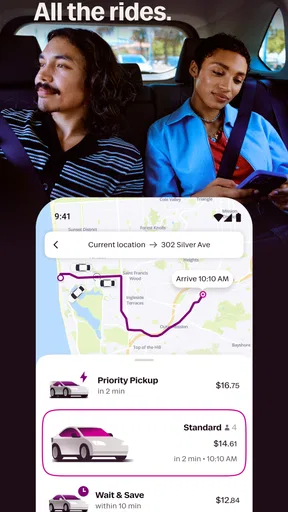
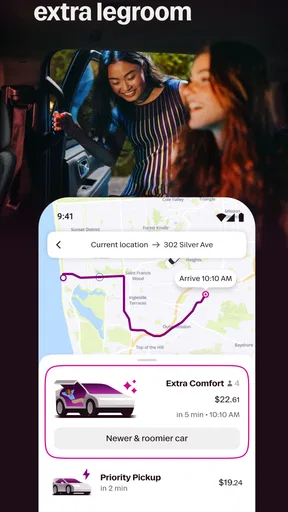
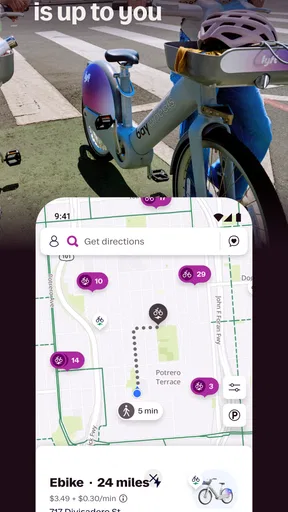
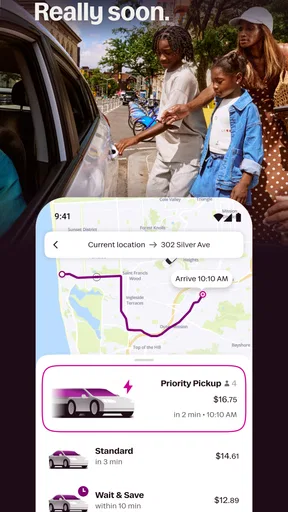
Our Review of Lyft
 Analysis by Appyee
I find ride-hailing apps most useful when the trip is simple but driving myself would add hassle: getting to an appointment, crossing town after dark, or leaving a car at home when parking is awkward. Lyft is a familiar option for that kind of journey, though the experience depends on where you are, when you request a car, and whether a nearby driver is available. I’d treat it as a convenient tool, not a guarantee that every pickup will be instant or every trip will go exactly to plan.
Where people tend to get stuck
The first snag is often not the ride itself but the pickup point. A pin placed on the wrong side of a busy street, inside a large building, or at the wrong entrance can leave both rider and driver searching. Before requesting, I check the map pin against a recognizable meeting spot and add a clear pickup note when the app allows it. At a venue with several entrances, moving to a simple curbside location can save more time than repeatedly messaging from a confusing spot.
Another common source of uncertainty is the wait. A nearby car on the map is useful context, but traffic, road closures, and a driver finishing another trip can affect the arrival estimate. If I have a firm appointment, I build in breathing room rather than assuming the displayed timing is a promise. When the app shows ride choices, I compare what is presented before confirming instead of choosing quickly and sorting out the details later.
Simple checks before requesting
Lyft is a free Maps & Navigation app from Lyft, Inc., available for everyone and running on Android 9 or later. It has a 4.3 average from around 535,000 ratings, and has been installed over 50 million times. Those figures suggest a widely used service, but they do not tell me whether drivers are plentiful on a particular street at a particular hour; local availability is what matters on the day.
Before a trip, I make sure the destination is the exact entrance or address I intend to use, not merely the name of a large complex. I also check that my account and payment details are ready, since doing that while standing outside in bad weather is an avoidable distraction. If the pickup marker looks misplaced, I adjust it before requesting. These small checks are especially helpful when I’m leaving a crowded event, where several riders may be waiting in nearby spots.
The current version is 2025.48.3.1765351207. App updates can change screens or fix issues, so if a button or flow looks different from what I remember, I first check whether I’m using the latest version available to my device. I also keep the app open long enough for the pickup and destination details to load before tapping through. That is a practical way to avoid confirming a ride with an old or incomplete location.
Making a ride request work smoothly
I focus on the small choices that make a pickup easier: checking that the pin marks a place the driver can actually reach, and giving myself room for traffic or a changing arrival estimate. Once the request is underway, I avoid duplicate taps and use the trip’s available controls if something shifts. That leads to the next question: how to recover calmly when the original plan no longer fits.
Recovering when the plan changes
If a request seems stalled, I avoid sending multiple requests in a hurry. I check the ride status, pickup point, and any messages first; duplicate requests can make an already confusing pickup harder to manage. If the location is wrong, I use the app’s available trip controls or contact options rather than expecting the driver to guess where I moved. For a cancellation or another problem, the in-app help area is the sensible place to look for the relevant next step.
For an everyday example, imagine leaving a late appointment in an unfamiliar part of town. I’d step somewhere safe and easy to identify, confirm the pin, enter the destination carefully, and then watch for the assigned car rather than waiting at a driveway that drivers cannot reach. If the driver’s arrival changes, I’d reassess the timing and contact them through the app if needed. This calm sequence is more useful than repeatedly tapping buttons while walking between possible pickup points.
When another option makes more sense
Lyft is not the best answer for every journey. If I’m traveling a short, predictable route in a city with dependable public transport, a train or bus may be cheaper and easier to plan around. If I need to make several stops, carry bulky items, or travel with a group, I compare the available ride choices with the practical alternatives before committing. And where service is sparse, I would not build a critical plan around finding a driver at the last minute.
Compared with driving my own car, the main trade-off is convenience against control: I don’t have to park or navigate, but I do rely on driver availability and the pickup working smoothly. Compared with a taxi, the app-based request gives me a digital way to set the trip and follow its progress, while a street hail or taxi stand may be more straightforward in places where those are readily available. I’d choose based on the location and urgency, not assume one method always wins.
Who will get the most from it
I’d recommend Lyft to someone who wants an on-demand ride for occasional errands, commuting connections, or nights out, and who is comfortable checking details on a phone before setting off. It can also help visitors who would rather enter a destination than work out an unfamiliar route themselves. The app is free, but the ride itself should not be assumed to cost nothing: check the trip details shown before confirming so the choice fits your budget.
It may be a poor fit if you have no dependable mobile connection at the pickup point, need a guaranteed arrival time, or cannot easily reach the curb where the car can meet you. In those cases I’d plan another option in advance, or arrange a clear pickup location before leaving. For accessibility needs or special travel requirements, I would check the options shown in the app and make sure they suit the specific trip rather than assume a standard request will cover them.
Getting Started with Lyft
First things first, downloading the app is a breeze. Just head over to the App Store or Google Play, and you’re good to go. Once you’ve got it installed, setting up is pretty straightforward. You’ll enter your basic info and, of course, your payment details. Don’t worry; it’s all secure.
One thing I love about Lyft is how user-friendly it is. The interface is clean and intuitive. You can easily set your pickup location and destination with a few taps. Plus, there’s a handy feature that lets you choose between different ride types, whether you’re feeling fancy or just need a quick lift.
The Ride Experience
Alright, so let’s talk about the actual ride. In my experience, drivers are generally punctual and friendly. You can track their arrival in real-time, which is super convenient if you’re in a hurry. The cars are usually clean, and drivers often keep them stocked with amenities like phone chargers and water bottles. It’s the little things, right?
One cool aspect is the ride-sharing option. If you’re not in a rush and want to save some cash, you can share your ride with others heading in the same direction. It’s a great way to meet new people, and let’s be honest, who doesn’t love saving a few bucks?
Safety and Support
Safety is a big deal, and Lyft takes it seriously. They have a range of features to ensure you feel secure during your ride. You can share your trip details with a friend, and there’s even an emergency assistance button if things get hairy. Plus, all drivers go through a background check before they hit the road.
Customer support is also top-notch. If you ever run into an issue, the help section in the app is full of useful information, and you can easily get in touch with their support team. They’re pretty responsive, which is always a plus in my book.
Final Thoughts
All in all, Lyft is a solid choice if you need a convenient and reliable ride. Whether you’re commuting to work, heading out for a night on the town, or just need to get from point A to point B, it’s got you covered. So, if you haven’t already, give it a shot and see for yourself. Happy riding!
My practical verdict
Overall, I see Lyft as a useful backup to walking, transit, and driving rather than a replacement for every way of getting around. Its strongest case is a trip where door-to-door convenience matters and I can be flexible about the exact wait. A little preparation—checking the pin, destination, and displayed ride details—does a lot to prevent avoidable friction.
Lyft first appeared on August 28, 2012, and its reach is reflected in roughly 140,000 written reviews as well as its broad install base. That history and scale make it easy to recognize, but my recommendation still comes with a condition: check local availability and make a backup plan when being late would have real consequences. For ordinary trips where a car is the sensible choice, I’d be happy to keep it on my phone.
Privacy and Permissions
See what permissions an app requests and how it handles your data.
- Identity
- find accounts on the device
- Calendar
- read calendar events plus confidential information
- Contacts
- find accounts on the device, read your contacts
- Location
- approximate location (network-based), precise location (GPS and network-based)
- Phone
- directly call phone numbers, read phone status and identity
- Photos/Media/Files
- read the contents of your USB storage, modify or delete the contents of your USB storage
- Storage
- read the contents of your USB storage, modify or delete the contents of your USB storage
- Camera
- take pictures and videos
- Microphone
- record audio
- Wi-Fi connection information
- view Wi-Fi connections
- Device ID & call information
- read phone status and identity
- Other
- view network connections, pair with Bluetooth devices, access Bluetooth settings, allow Wi-Fi Multicast reception, connect and disconnect from Wi-Fi, full network access, control Near Field Communication, run at startup, draw over other apps, control vibration, prevent device from sleeping, Google Play license check, read Google service configuration
Verdict
Strengths of Lyft
- User-friendly interface and easy navigation.
- Wide availability in many cities worldwide.
- Multiple ride options for different budgets.
- Real-time tracking of driver location.
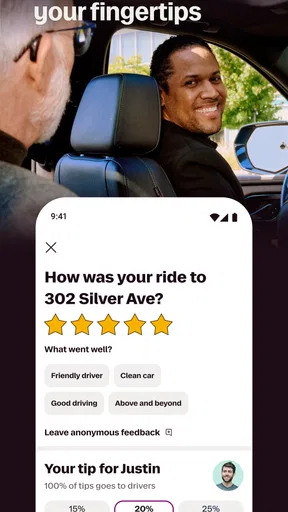
- In-app tipping and rating system.
Limitations of Lyft
- Surge pricing during peak hours.
- Limited availability in rural areas.
- Occasional driver cancellations.
- Inconsistent wait times in busy areas.
- Some users report app crashes.
Other Releases by Lyft, Inc.
View All


Similar Picks in This Category
View All
Uber - Request a ride
Uber Technologies, Inc.4.7


inDrive. Rides with fair fares
® SUOL INNOVATIONS LTD4.8

Yandex Go: Taxi Food Delivery
Mikromobilnost LLC Belgrade4.8

Bolt: Request a Ride
Bolt Technology4.8

Rapido: Bike-Taxi, Auto & Cabs
Rapido Bike Taxi4.8
You May Also Like
View All


Frequently Asked Questions
What is Lyft and what services does it offer?
Lyft is a popular ride-sharing app that connects passengers with local drivers through their smartphones. Available in many cities, Lyft offers various services including standard rides, luxury rides, and shared rides, as well as options for larger groups. The app also features a user-friendly interface and real-time tracking.
How does Lyft ensure the safety of its riders and drivers?
Lyft prioritizes safety by conducting thorough background checks on all drivers and continuously monitoring driving records. The app includes features such as in-app emergency assistance, real-time ride tracking, and a two-way rating system to help maintain a safe and respectful community for both riders and drivers.
What are the payment options available on Lyft?
Lyft offers flexible payment options, including credit and debit cards, PayPal, and even Lyft Cash for topping up your account. Users can easily add or update payment methods directly within the app. Additionally, Lyft often provides promotional codes and discounts to help reduce ride costs.
Can I schedule a ride with Lyft in advance?
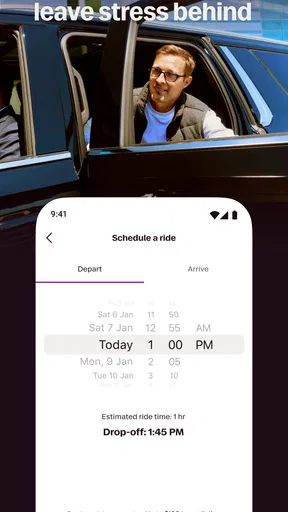
Yes, Lyft allows users to schedule rides in advance through the app. This feature is particularly useful for planning trips to the airport or important appointments. Simply select the "schedule" option, choose your pickup date and time, and confirm the ride. You’ll receive a reminder as the pickup time approaches.
Does Lyft offer any special features for frequent riders?
Lyft rewards frequent riders with its Lyft Rewards program, which offers points for every dollar spent on eligible rides. Points can be redeemed for ride credits, discounts, and exclusive offers. Additionally, Lyft Pink, a monthly subscription, provides benefits like priority airport pickups and savings on rides.
